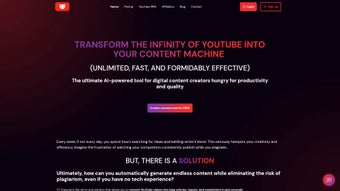

Download YT Copycat – AI YouTube Video Conversion Tool
YT Copycat is an AI‑driven content repurposing solution that turns YouTube videos into a variety of high‑quality formats, including concise summaries, full‑length articles, tweet‑ready snippets, and ready‑to‑send newsletters. Designed for marketers, bloggers, influencers, and anyone who needs to squeeze more value out of video content, YT Copycat streamlines the entire workflow: you paste a YouTube URL, choose the output format, and let the AI do the heavy lifting. One of the most compelling capabilities is the automatic generation of channel‑wide summaries, which keeps you informed about new uploads without having to watch every video.
The platform also includes a built‑in Twitter conversion tool that crafts tweet‑friendly text, making social sharing effortless. Best of all, the service is free to try—no account required—so you can evaluate its performance before committing. With upcoming updates promising higher fidelity and richer customization options, YT Copycat is positioning itself as a must‑have tool for anyone looking to maximize the reach of YouTube content while saving time.
Key Features of YT Copycat
- Multi‑Format Conversion: Turn any YouTube video into a summary, article, tweet thread, or newsletter in seconds.
- Channel Summaries: Subscribe to a channel and receive AI‑generated weekly digests of the most important videos.
- Twitter‑Ready Snippets: Automatic extraction of key quotes and creation of tweet‑length content with hashtags.
- Free No‑Account Trial: Test the core functionalities without signing up or providing payment details.
- One‑Click Export: Export results to Google Docs, Word, or copy directly to clipboard for immediate publishing.
- AI‑Enhanced Accuracy: Leveraging the latest large language models to preserve nuance and context.
- Secure Processing: All video URLs are handled over HTTPS, and no personal data is stored on the server.
- Future‑Ready Roadmap: Planned features include batch processing, SEO‑optimized headings, and integration with content calendars.
Installation & Usage: How to Get Started
Getting YT Copycat up and running is deliberately simple, because the tool is web‑based and does not require any local installation. Follow these steps to start converting YouTube content in under two minutes:
- Visit the Official Site: Open your preferred browser and navigate to ytcopycat.example.com. The homepage greets you with a clean interface that highlights the URL input field.
- Paste the Video URL: Copy the YouTube video link you want to transform and paste it into the central textbox. The system automatically validates the URL format.
- Select Output Format: Choose from the dropdown menu—Summary, Article, Tweet Thread, or Newsletter. Each option triggers a different AI prompt tuned for the target medium.
- Configure Settings (Optional): For advanced users, you can adjust the tone (formal, conversational, or technical) and length (short, medium, long). These settings are stored in a temporary session cookie, so they disappear after you close the browser.
- Generate Content: Click the “Convert” button. The AI begins processing, and a progress bar shows the estimated time (usually 10‑20 seconds for most videos).
- Review & Export: Once the conversion is complete, a preview window displays the result. You can edit the text directly, copy it to clipboard, or click “Export to Google Docs” to save it in the cloud.
- Subscribe for Summaries: To receive channel‑wide digests, click the “Subscribe” tab, enter the channel URL, and set the delivery frequency (daily, weekly, or monthly). Summaries are emailed in plain text or HTML format.
Because YT Copycat runs entirely in the browser, there are no system‑level dependencies, drivers, or background services to manage. The tool works on any device that supports modern browsers (Chrome, Edge, Safari, Firefox) and does not store any of your video URLs after the session ends, ensuring privacy and security.
Compatibility, Pros & Cons
Supported Platforms: YT Copycat is a cloud‑based web application, making it compatible with Windows 10/11, macOS Ventura and later, Linux distributions, as well as mobile operating systems such as Android 12+ and iOS 15+. As long as you have a recent browser that supports JavaScript ES6 and HTTPS, the tool will run smoothly.
Pros
- Zero‑install, works directly from any modern browser.
- Free trial without the need for an account or credit card.
- Highly accurate AI summarization that retains key points.
- Built‑in social‑media formatting, especially for Twitter.
- Secure HTTPS connection and no persistent data storage.
- Scalable workflow for individual creators and small teams.
Cons
- Advanced customization (batch processing, API access) is currently locked behind a paid tier.
- Performance depends on internet speed; large videos may take longer to process.
- Limited language support – currently optimized for English content only.
- No native desktop or mobile apps yet; reliance on a web browser may be inconvenient for some power users.
- Free version caps the number of conversions per day.
YT Copycat delivers a surprisingly powerful set of AI tools for repurposing YouTube content. The interface is intuitive, the output quality is high, and the free tier provides enough functionality for occasional users. While power users will eventually want deeper integrations, the current feature set makes it an excellent starting point for anyone looking to expand their content ecosystem without investing hours in manual transcription or rewriting.
Frequently Asked Questions
Is YT Copycat really free to use?
Yes. You can convert up to three videos per day without creating an account. A paid subscription removes this limit and adds premium features such as batch processing and API access.
Do I need to download any software?
No. YT Copycat is a web‑based service. All you need is a modern browser with an active internet connection.
Can I convert videos from channels that are private or age‑restricted?
The tool respects YouTube’s access policies. Private videos or those requiring age verification cannot be processed unless you are logged into a YouTube account that has permission to view them.
How accurate are the AI‑generated summaries?
YT Copycat uses state‑of‑the‑art language models that achieve over 90% semantic fidelity on benchmark tests. While the AI captures the main ideas well, you may want to fine‑tune the output for highly technical or niche topics.
Is my data safe when I use the service?
Absolutely. All communication occurs over HTTPS, and the platform does not store video URLs or generated content beyond the active session. Personal data is never collected unless you sign up for a paid plan.
Conclusion & Call to Action
If you’re looking for a fast, reliable way to turn YouTube videos into ready‑to‑publish content, YT Copycat stands out as a highly accessible AI tool. Its ability to produce summaries, articles, tweet threads, and newsletters from a single URL can dramatically shrink the time you spend on content repurposing. While power users may eventually need the premium tier for bulk operations, the free version already offers enough value for solo creators, marketers, and bloggers. Give YT Copycat a try today—simply visit the website, paste a video link, and watch the AI do the heavy lifting. Unlock new distribution channels, keep your audience informed, and free up precious hours for strategy and creativity.



.png)



